Crew GO!
For airline crew who commute

Get to base. Every time.

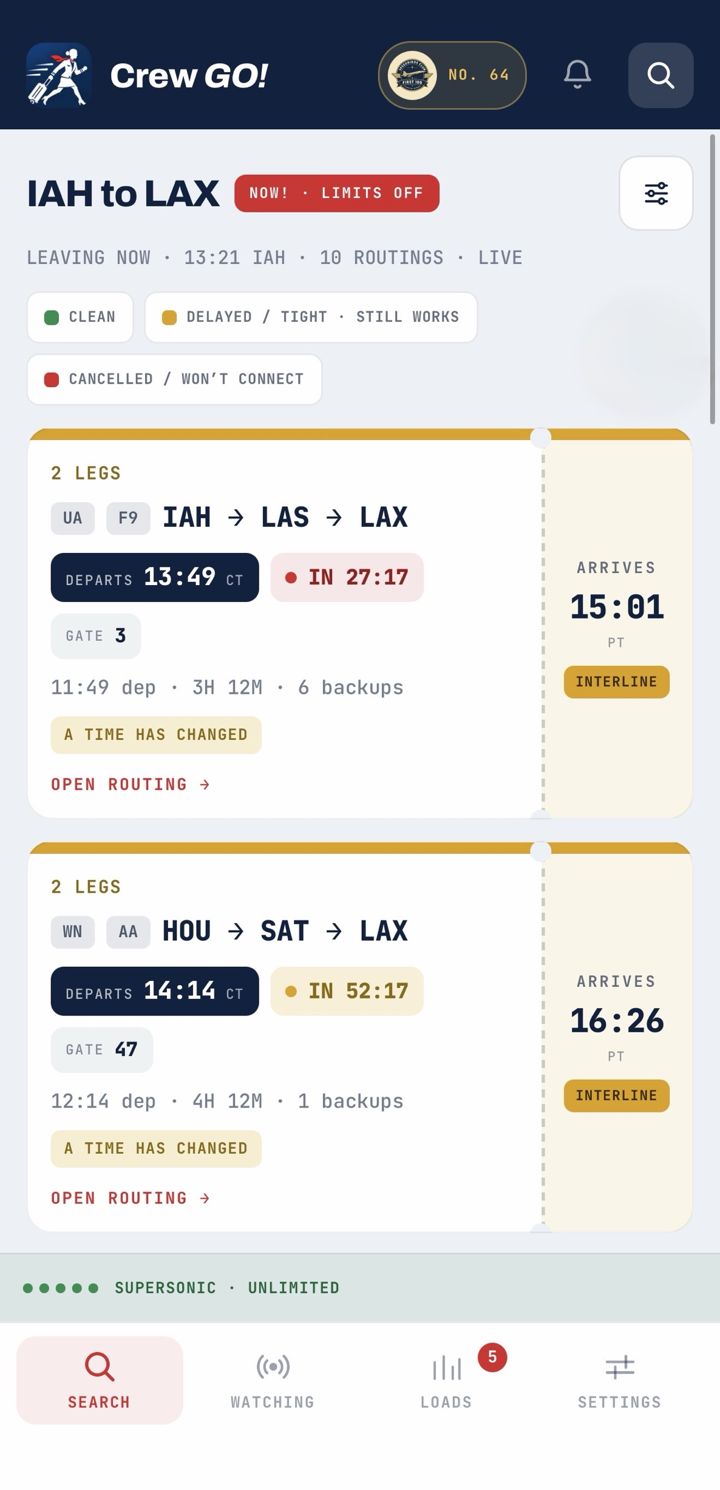
Crew GO! reads the live boards, finds every way to base today across any airline, shows you the loads other crew are seeing, and checks the whole thing against your commuter clause before you leave the house.

Private testing · iPhone and Android

Built around the commute, not the flight.

Flight trackers know where the aircraft is. Load apps know how many seats are open. Neither knows whether you make report. Crew GO! does both and then answers that question.

NOW!

Every route to base today

One tap clears every filter and searches any airline, any number of stops, fields within 75 miles of each end. Nothing today? It shows the first thing tomorrow.

Loads

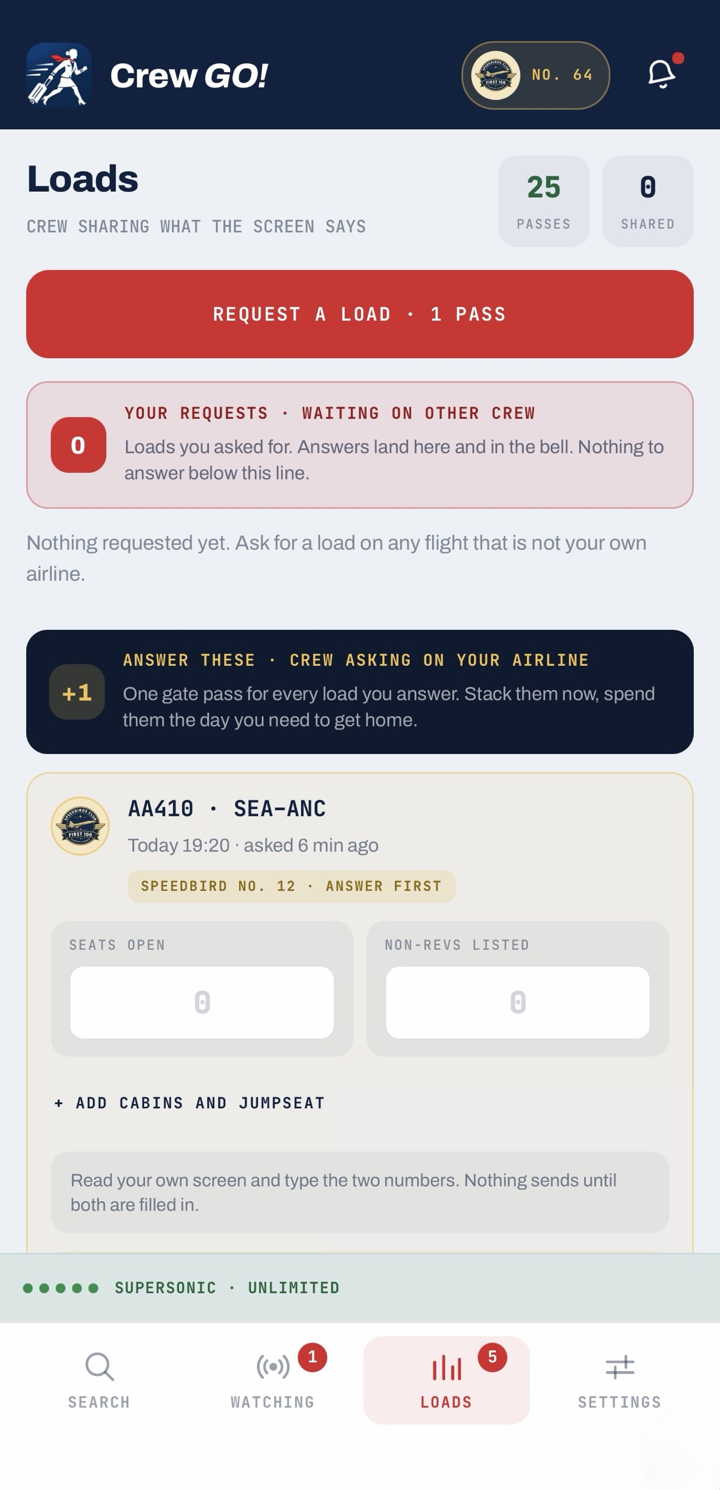
What other crew can see

Ask crew at the operating airline for the loads on a flight, by cabin, with the standbys listed. Mark your own airline's flights from your own system. Nothing is public.

Ahead of you

Standbys ahead, not just seats

On another airline you list last, so everyone listed is ahead of you. On your own you enter your place. The app says whether the open seats cover them.

Aircraft

The inbound tail

Where your aircraft is right now, read off the arrivals board by tail number, and how far the departure is likely to slip before the airline says so.

Connections

A plan, not a number

Deplane, walk between concourses, re-list at the gate, door close. Each connection is rated relaxed, normal, tight or at risk against the time you actually have.

Commuter clause

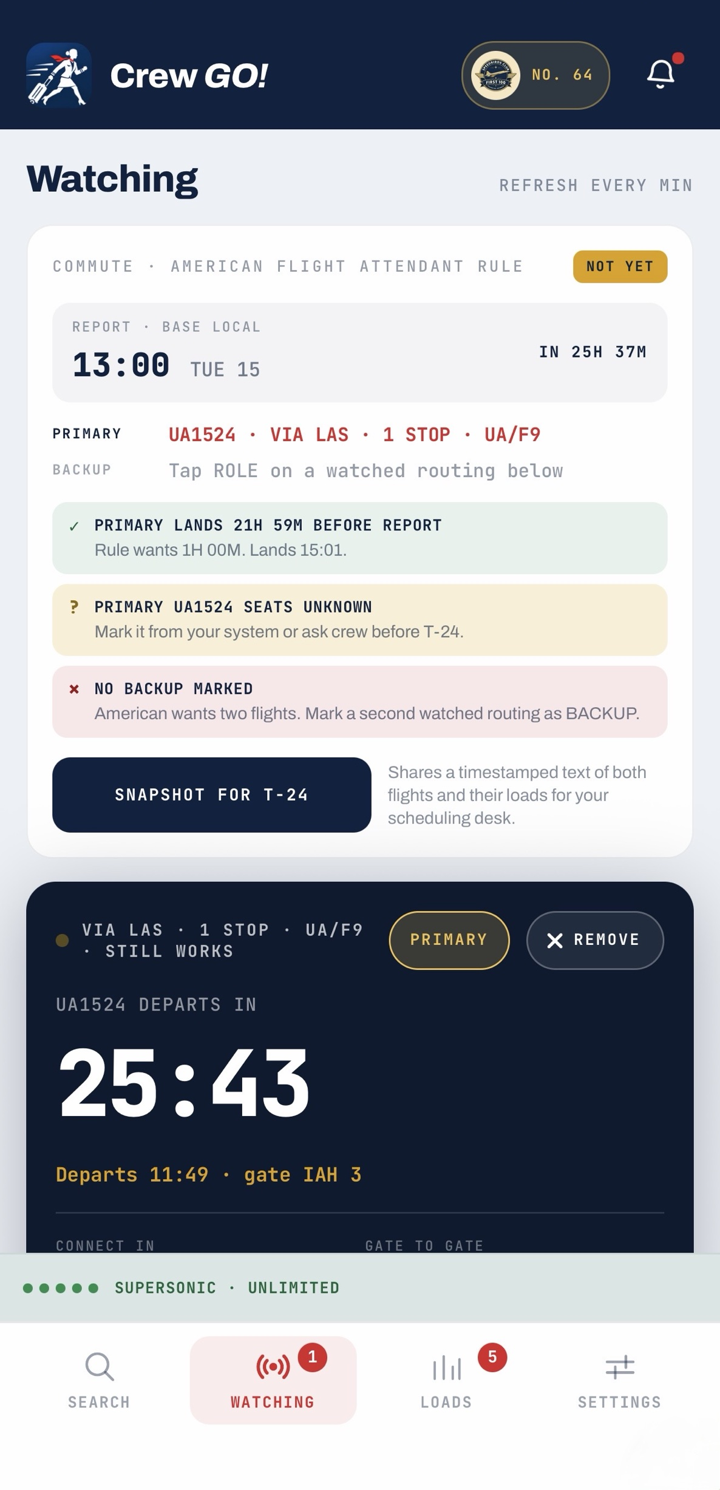
Primary, backup, report

Mark two routings, set your report time, and the app checks them the way your airline's rule does. One tap keeps a timestamped snapshot for the scheduling desk.

Board

A live airport board

Departures and arrivals for any airport, soonest first, with weather turned into plain words.

Bad load?

Find another way

Tell the app a flight looks bad and it digs deeper, avoids that flight, and shows only routes it has not shown you yet.

Test it this week.

Crew GO! is in private testing with real crew. It is not in the App Store or Google Play yet. Two ways in:

iPhone

  1. Install Expo GoFrom the App Store. It is the free app that runs Crew GO! before the App Store build exists.
  2. Sign in to Expo GoCreate a free Expo account inside Expo Go, then send Brian the email you used so he can add you to the crew-go-team.
  3. Open the linkOnce you are added, open crewgotravel.com/expo on the phone. Crew GO! loads. Reopen it twice whenever there is an update.

Android

  1. Download the appOn the phone, open crewgotravel.com/android. Allow installs from this source when Android asks.
  2. Open Crew GO!Updates arrive on their own. Close and reopen the app twice to pick one up.
  3. Locked-down phone?Work phones that block unknown sources or filter the network cannot run the test build. Use a personal phone.

The app uses live schedule data and crowd-shared loads. Loads come from other crew, not the airline. Always confirm on your own system before you go to the airport.

Get on the list.

Tell Brian who you are and which airline you fly for. He adds testers by hand, usually the same day.